Quick Answer
tl;dr: Google Local Services Ads sends phone calls, message leads, and book now requests. Calls need an immediate answer, messages need a fast reply through Google, and book now leads need an accurate calendar. Treating all three the same is how good leads slip away.
If you run Google Local Services Ads, leads show up fast. But not every lead that lands in your inbox is the same kind of lead.
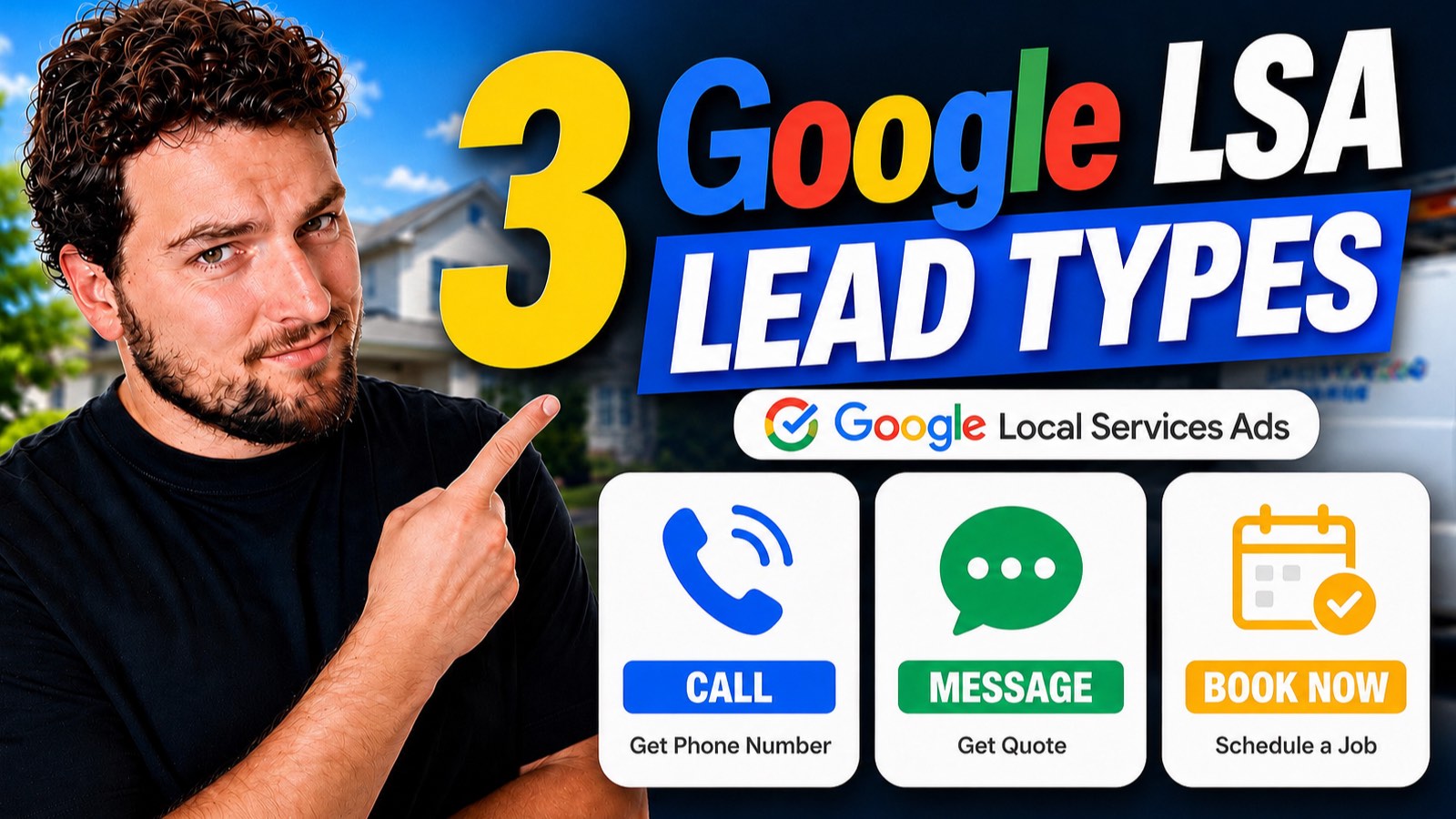
Google actually sends three different lead types: phone calls, messages, and book now requests. Each one shows up differently, gets billed differently, and needs a different response from your team.
Miss that distinction and you end up treating a fast phone call the same way you treat an overnight form message, and that mismatch costs jobs.
Watch the video below for a quick walkthrough, or keep reading for the full breakdown.
The 3 Types of Google LSA Leads
Here’s what each one actually is, from the homeowner’s side and yours.
1. Phone Call Leads
Phone calls drive the most volume by far, typically around 80% of LSA leads for home service advertisers. When a homeowner clicks to call, they aren’t dialing your real business number. Google shows them a masked, tracked number instead, so it can log the call and, in most cases, record it.
That’s not your business trying to hide anything; it’s how Google verifies and bills the lead. The call still comes through to you, just routed through Google’s tracking layer first. If your team cannot reliably answer every call, an AI voice receptionist checklist can help you decide what a live backup needs to handle.
2. Message Leads (“Get Quote”)
The second lead type shows up to the homeowner as a “get quote” button. Clicking it opens a short form: a message describing what they need, the service type from your LSA service list, an optional name, and how they’d like to be contacted (call, text, or email).
Here’s the part that trips up a lot of advertisers: when you reply to a message lead, you’re not texting or emailing the homeowner directly. You’re sending your response back to Google, and Google relays it to the homeowner using whatever contact method they picked. You only get their direct phone number or email if you specifically ask for it.
If these replies are sitting unanswered, see the step-by-step guide to automate Google LSA message replies with Zapier and AI. It is built specifically for this lead type.
3. Book Now Leads
The third and rarest lead type sends the homeowner straight to a dedicated booking link set by the advertiser, often through a booking partner like a CRM’s online scheduling tool. The homeowner enters their ZIP code and books an appointment themselves, with no back-and-forth needed.
Most home service businesses see very few of these compared to phone and message leads, but they’re worth having enabled if your booking system supports them. The calendar is the response here: keep availability accurate so a homeowner who is ready to book does not hit a dead end.
How These Leads Look in Your LSA Dashboard
Your LSA inbox filters leads by type, and each one carries different information. A phone lead shows basic contact details plus a call recording, if one exists. A message lead shows the full back-and-forth thread, along with a masked number and extension if the homeowner asked to be called. A book now lead shows the booking details directly, though most accounts see these far less often than the other two.
What “Requested a Quote From Multiple Businesses” Means
Occasionally you’ll see a message lead flagged as “requested a quote from multiple businesses.” That means the homeowner used LSA’s competitive quotes option to send the same request to more than one business at once, so you’re not the only one replying to that lead.
It can feel frustrating from the advertiser side, but it makes sense from the homeowner’s: they’re comparison shopping the same way they would for any other purchase. The businesses that respond fastest and clearest usually win these. The same speed principle is behind missed-call text-back for your other lead sources.
Why the Difference Matters for Your Business
Once you know which lead type you’re looking at, you can staff around it, respond faster, and stop treating every LSA lead exactly the same. A phone call needs someone available to pick up immediately. A message lead needs a fast, clear reply routed correctly since you’re not texting the homeowner directly. A book now lead just needs your calendar to be accurate.
That is the layer LeadTruffle was built to handle: helping home service teams respond to leads quickly and consistently. If you are already running Google LSA and want every lead type answered in seconds instead of whenever someone gets to it, start with the response workflow that fits the channel.
Bottom Line
Google LSA doesn’t send you one kind of lead; it sends you three, and each one plays by different rules. Know the difference and you can respond faster, staff smarter, and stop losing jobs to a slow reply on the wrong channel.
Frequently Asked Questions
What are the 3 types of Google LSA leads?
Google Local Services Ads sends three lead types: phone call leads, message leads ("get quote"), and book now leads. Phone calls make up the largest share of LSA volume, typically around 80%, with messages and book now leads making up the rest.
What is a Google LSA message lead?
A message lead happens when a homeowner clicks "get quote" and fills out a short form with a message, the service needed, and how they'd like to be contacted. You respond through the LSA dashboard, not by texting or emailing them directly.
Why does Google give me a masked phone number for LSA calls?
Google routes LSA phone leads through a tracked, masked number instead of your real business line so it can log and, in most cases, record the call for lead verification and billing.
Do I get the homeowner's phone number or email from a message lead?
Not by default. Google relays your reply to the homeowner by call, text, or email based on their stated preference, unless you specifically ask them for their direct contact information.
What does "requested a quote from multiple businesses" mean?
It means the homeowner used LSA's competitive quotes option to send the same request to more than one business at once, so you're likely competing with other advertisers on that specific lead.
Are Google LSA book now leads worth running?
They can be, but they're typically the rarest of the three lead types and convert less often than phone or message leads for most home service businesses. Treat book now as a bonus channel rather than your main lead source.
Want more practical breakdowns like this?
If this kind of breakdown is useful, I send one of these every week. Join the newsletter and I'll walk you through the next one.